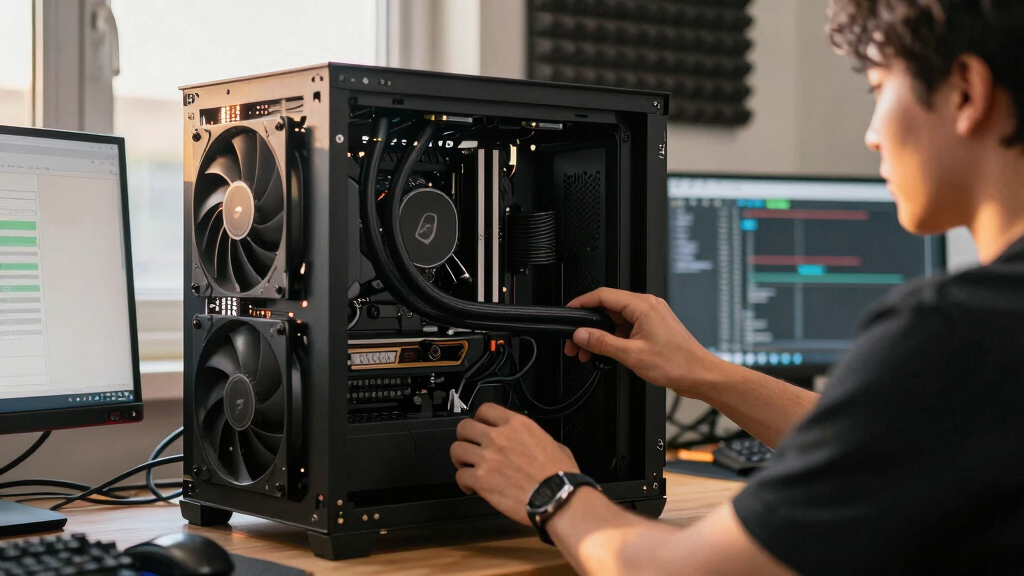

📊 Full opportunity report: How to Reduce Heat and Noise in a High-Power AI Workstation on ThorstenMeyerAI.com — validation score, market gap, and execution plan.

Get hardware and tech essentials delivered free with Prime
- Fast, free delivery on millions of items
- Prime Video, Amazon Music and more included
- Member-only deals all year
TL;DR
High-power AI workstations generate significant heat and noise during sustained workloads. Key solutions include undervolting GPUs, optimizing airflow, and selecting efficient cooling methods. This helps improve performance and comfort.
High-power AI workstations produce excessive heat and noise during continuous workloads, impacting performance and workspace comfort. Experts confirm that targeted cooling strategies, such as undervolting GPUs and optimizing airflow, can significantly reduce both issues without sacrificing performance.
Unlike gaming PCs, AI workstations run at near-constant high loads, leading to sustained heat generation primarily from GPUs, which can produce over 70% of the thermal output. Fans and cooling systems work harder to dissipate this heat, resulting in loud operation and increased energy consumption. Key solutions include undervolting GPUs to lower power draw, improving case airflow to prevent recirculation, and selecting high-quality cooling components. These measures can decrease fan noise and thermal stress, enhancing both system longevity and user comfort.
Undervolting involves reducing the voltage supplied to GPUs, which cuts heat output while maintaining performance in inference tasks. Proper case ventilation ensures heat is expelled efficiently, preventing internal recirculation and component overheating. Upgrading to quieter fans and cooling systems, such as liquid coolers, can further diminish noise levels. These adjustments require careful tuning but are supported by recent guides and industry best practices.
An AI workstation isn’t a gaming PC —
and that’s why it runs hot.
Local inference is a sustained load: the GPU sits near full power for hours with no loading screens, so the heat never dissipates and the fans never get a break. Here’s where the heat comes from — and the five levers that reduce it.
Impact of Heat and Noise Reduction on AI Workstation Efficiency
Reducing heat and noise in high-power AI workstations improves hardware longevity, maintains optimal performance, and creates a more comfortable workspace. This is especially important for professionals running long inference tasks, as thermal management directly influences system stability and user productivity. Implementing these strategies can also lower energy costs and reduce environmental impact, making AI workflows more sustainable.Products Worth Considering

Apple MacBook Pro with M5 Max 18-core CPU 20-core GPU 14.2-inch Display 48GB Memory 2TB SSD Space Black

Apple MacBook Pro 14-inch Laptop with M5 Pro chip, 18-core CPU, 20-core GPU, 24GB Unified Memory, 2TB SSD, Wi‑Fi 7 – Space Black

Apple MacBook Pro 14.2 with M5 Pro Chip, 18-Core CPU / 20-Core GPU, 64GB RAM, 1TB SSD, Silver
As an affiliate, we earn on qualifying purchases.
Understanding the Unique Thermal Challenges of AI Workstations
AI workstations differ from gaming PCs because they operate under continuous, high-load conditions rather than bursty gaming loads. GPUs in these systems often run at or near maximum capacity for hours, generating sustained heat that standard gaming cooling solutions cannot handle efficiently. Historically, many setups experience throttling and loud fan noise due to inadequate thermal management, prompting a need for specialized cooling strategies. Recent industry insights emphasize undervolting and airflow optimization as effective measures, supported by community guides and expert advice.
“Undervolting GPUs and optimizing airflow are the most cost-effective ways to cut heat and noise in high-power AI systems without sacrificing inference performance.”
— Thorsten Meyer, AI hardware specialist
Remaining Uncertainties in Cooling Optimization Strategies
While undervolting and airflow improvements are proven effective, the optimal configurations can vary based on specific hardware models and workloads. The long-term impact of aggressive undervolting on GPU lifespan is still being studied, and the best cooling setups for different case sizes and ambient conditions require further testing. Additionally, the trade-offs between liquid and air cooling in terms of noise, cost, and maintenance are ongoing topics of discussion among professionals.
Next Steps for Improving AI Workstation Cooling
Users should experiment with undervolting settings and airflow configurations tailored to their hardware. Manufacturers are expected to release more detailed guidelines and optimized cooling solutions for high-power AI workloads. Future developments may include smarter cooling systems that dynamically adjust fan speeds based on thermal load, further reducing noise and energy consumption. Continued community testing and sharing of best practices will help refine these strategies.
Key Questions
How can I safely undervolt my GPU for AI workloads?
Start with manufacturer-recommended tools and gradually reduce voltage while monitoring stability and temperature. Follow detailed guides specific to your GPU model to avoid long-term damage.
What cooling options are best for reducing noise in a high-power AI workstation?
High-quality, low-noise fans, liquid cooling systems, and optimized case airflow are recommended. Proper installation and maintenance are essential for best results.
Does upgrading to liquid cooling significantly reduce noise compared to air cooling?
Liquid cooling can lower noise levels, especially under sustained loads, but the actual benefit depends on the quality of the cooler and the case design. It often involves higher initial costs and maintenance.
Can these cooling strategies impact inference performance?
In most cases, properly implemented undervolting and airflow improvements do not reduce inference speed. They help maintain stable temperatures, which can prevent throttling and performance drops.
Are there risks associated with aggressive thermal management techniques?
Yes, such as potential hardware instability or reduced component lifespan if not carefully managed. Following manufacturer guidelines and gradual adjustments is recommended.
Source: ThorstenMeyerAI.com