
📊 Full opportunity report: Quiet GPUs for Local AI: Acoustic and Thermal Roundup on ThorstenMeyerAI.com — validation score, market gap, and execution plan.

Get hardware and tech essentials delivered free with Prime
- Fast, free delivery on millions of items
- Prime Video, Amazon Music and more included
- Member-only deals all year
TL;DR
This article reviews the most silent and cool-running GPUs suitable for local AI workloads in 2026. It highlights key models, their heat and noise profiles, and how to optimize for quiet operation.
In 2026, the most effective GPUs for local AI are those optimized for low noise and heat, with the RTX 5090 emerging as the top choice when paired with proper cooling and power management, despite its high TDP.
This roundup evaluates GPUs based on their thermal and acoustic performance, emphasizing the importance of undervolting and choosing partner cards with advanced cooling solutions. The RTX 5090, with 32GB VRAM, stands out as the best single-GPU solution for large models, provided it is properly cooled and power-capped. The RTX 4090 and used RTX 3090 remain popular for budget-conscious users, offering reliable performance with lower power draw. Mid-tier options like the RTX 5080 and RTX 4060 Ti provide efficient choices for smaller models, with significantly reduced heat and noise. The RTX PRO 6000 Blackwell with 96GB VRAM targets professional workloads, balancing high capacity with quieter operation. Overall, the key to quiet operation lies in undervolting and selecting partner cards with large, well-designed cooling solutions, rather than relying solely on chip architecture.Quiet GPUs
for local AI.
The GPU makes ~70% of your heat and most of your noise. But here’s the secret: the chip doesn’t decide how loud your card is — the cooler design and your power settings do. Match your VRAM tier in Part 2, then make it quiet.
Capping to 70–80% sheds a huge amount of heat for almost no inference loss — because inference is memory-bound. A capped 5090 is dramatically cooler & quieter than stock. Do this first.
Within one GPU model, partner cards differ enormously. For a single card, a large triple-fan open-air with zero-RPM idle runs slow & quiet. For multi-GPU, the calculus flips →
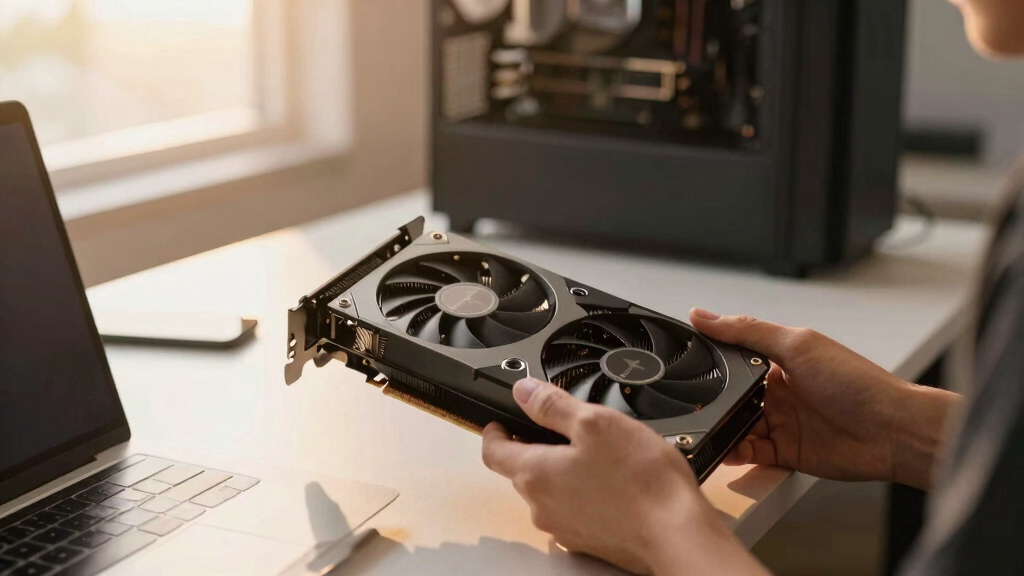
With room to breathe, a large triple-fan open-air cooler spreads heat across a big fin stack and runs its fans slowly. The quietest choice — what most people should buy.
Why Quiet GPU Operation Is Critical for Local AI Setups
Quiet GPUs are essential for maintaining a comfortable and efficient workspace, especially when running high-power AI models continuously. Proper thermal management reduces noise pollution and extends hardware lifespan, making these insights valuable for anyone building or upgrading local AI rigs in 2026. The emphasis on undervolting and cooling optimization offers practical ways to achieve quieter, cooler operation without sacrificing performance, which is crucial as AI workloads grow more demanding and hardware becomes more powerful.As an affiliate, we earn on qualifying purchases.
2026 GPU Landscape and Cooling Strategies
The 2026 GPU market features a tiered VRAM structure, with options from 16GB to 96GB, tailored for different AI workloads. Historically, high-performance GPUs like the RTX 5090 have been plagued by heat and noise issues, but recent focus has shifted toward undervolting and improved cooling designs. Partner cards with large, open-air coolers and zero-RPM fan modes are now standard for quiet operation. Power management techniques, such as limiting power to 70–80%, significantly reduce heat output and noise, enabling high-performance GPUs to run in more comfortable environments, especially when considering best thermal paste and pads for high-TDP GPUs. These developments reflect a broader industry trend toward balancing raw power with acoustic and thermal efficiency, especially for sustained workloads typical in local AI inference."Power-capping and choosing the right cooler are the most effective ways to make high-end GPUs operate quietly in a local AI setup."
— Thorsten Meyer, AI hardware expert
As an affiliate, we earn on qualifying purchases.
Remaining Uncertainties in GPU Noise Optimization
It is not yet clear how different partner card designs will perform in real-world, long-term use, especially under continuous AI workloads. The effectiveness of undervolting at scale and the durability of cooling solutions over time remain areas needing further testing and validation.
thermal optimized GPU for local AI
As an affiliate, we earn on qualifying purchases.
As an affiliate, we earn on qualifying purchases.
Next Steps for Achieving Quieter AI Hardware
Manufacturers are expected to release new GPU models with integrated advanced cooling solutions and better power management features. Further research will likely focus on optimizing undervolting techniques and developing even quieter, more efficient cooling architectures for high-power GPUs, making quiet operation more accessible for all AI practitioners.
As an affiliate, we earn on qualifying purchases.
Key Questions
How does undervolting improve GPU noise levels?
Undervolting reduces the power consumption and heat output of the GPU, which in turn allows the cooling fans to run slower and quieter, often enabling fanless operation during low to moderate workloads.
Is the RTX 5090 suitable for continuous AI inference in a quiet environment?
Yes, if paired with a high-quality cooler and power-capped to reduce heat, the RTX 5090 can operate quietly during sustained inference workloads.
Can older GPUs like the RTX 3090 still be used for quiet local AI setups?
Yes, the RTX 3090 offers good value and can be made quieter through undervolting and selecting partner cards with efficient cooling solutions, though it may run warmer than newer models.
What is the main factor in achieving a quiet GPU setup?
The primary factors are undervolting the GPU and choosing partner cards with large, well-designed cooling solutions and zero-RPM fan modes.
Source: ThorstenMeyerAI.com
Fall Picks
fall essentials
As an affiliate, we earn on qualifying purchases.