
TL;DR

Get hardware and tech essentials delivered free — and shop member deals
- Fast, free delivery on millions of items
- Access to Prime Big Deal Days deals on October 6–7
- Prime Video, Amazon Music and more included
The old rule — building is cheaper. Not anymore. Today, prebuilt systems often match or beat DIY prices, especially with support and validated thermals. Your choice depends on how much control, speed, and support matter to you.
Building your own AI workstation used to be a no-brainer — cheaper, more control, more customization. But in 2026, that’s no longer the case. The surge in AI demand, component shortages, and bulk buying have flipped the script. Now, prebuilt systems often come at comparable or even better prices, with the added bonus of validated thermals and support.
Whether you’re training large models or running inference, the choice between DIY and prebuilt is about more than just sticker price. It’s about time, control, reliability, and what you need to get your work done. Ready to cut through the noise and find out which path suits your AI ambitions?
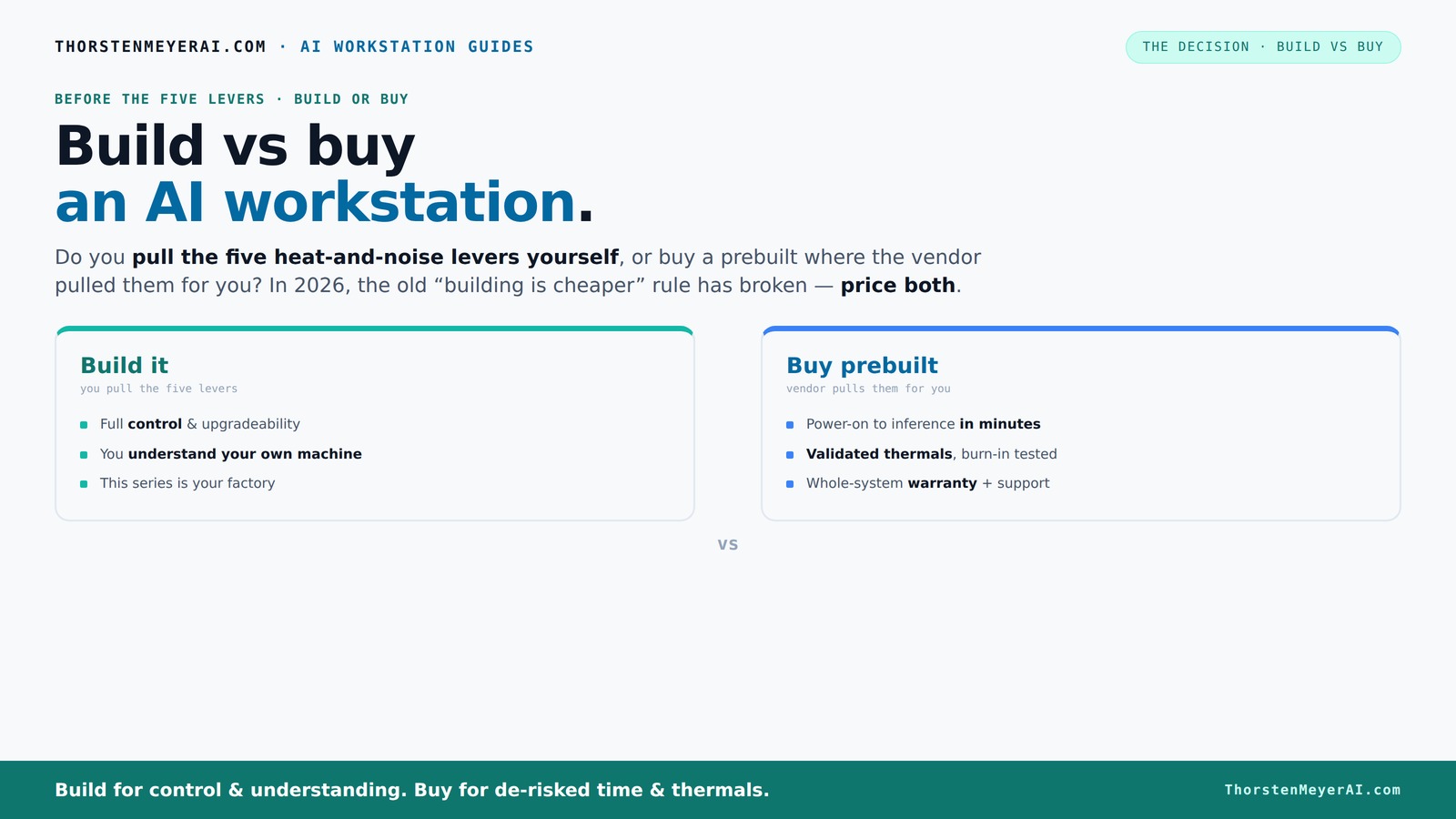
Build vs buy
an AI workstation.
The real question behind this whole series: do you pull the five heat-and-noise levers yourself, or buy a prebuilt where the vendor pulled them for you? And in 2026, the old “building is cheaper” rule has broken. Match your situation in Part 3.
Key Takeaways
- Component shortages and bulk buying have made prebuilt AI workstations often cheaper than DIY today.
- Thermal management is key — prebuilt vendors validate cooling, reducing noise and heat issues.
- Total cost of ownership includes support, troubleshooting, and energy costs — not just initial price.
- Multi-GPU setups justify prebuilt solutions if you want reliable, validated performance without fuss.
- Cloud may be better for bursty workloads, but owning hardware pays off for steady, high-volume AI tasks.
As an affiliate, we earn on qualifying purchases.
Why 2026 Changes Everything for Build vs Buy Decisions
In 2026, the old saying — "building is always cheaper" — no longer holds. Component shortages and rising prices have pushed the cost of DIY rigs upward, sometimes beyond prebuilt options. For example, a GPU that used to cost $800 now runs over $1,200, and DDR5 RAM has climbed 20% in the last year alone. Large vendors bought in bulk early, giving them leverage to price systems competitively.
So, the choice now isn’t just about saving money. It’s about evaluating total cost, time, and risk. A prebuilt might cost more upfront but saves hours of troubleshooting and offers a warranty. If you’re on a tight schedule or prefer certainty, a prebuilt could be worth every penny.
Furthermore, the implications go beyond immediate expenses. Building your own system now involves navigating a complex landscape of fluctuating component prices, potential delays, and compatibility issues. This often means longer lead times and increased risk of assembly errors or thermal inefficiencies. The tradeoff is control: you can customize every component, but at the cost of greater complexity and potential for mistakes. Conversely, prebuilt systems, tested and validated, mitigate these risks, ensuring reliability and performance consistency from day one.
As an affiliate, we earn on qualifying purchases.
The 'Heat & Noise' Challenge — Who Handles It Better?
AI workloads turn your workstation into a heat engine, especially with multiple GPUs. Building your own means pulling five levers: undervolting, cooling choice, airflow, fan tuning, and placement. Do you want to spend hours fine-tuning these? Or pay a vendor to handle it?
Prebuilt systems, especially from specialists like Lambda or Puget, validate thermal performance before shipping. They run the system through burn-in testing, tune fans for quiet operation, and often include water-cooling options that keep noise and heat in check. It’s like having a factory optimize your machine for you.
For example, Lambda’s systems boast up to 30% lower noise levels and temperatures, supporting sustained workloads without throttling. This is crucial because thermal issues can cause performance throttling, reduce component lifespan, and increase noise levels. The way thermal management is handled can directly impact your system’s reliability and your work environment. Prebuilts’ validated cooling solutions reduce the guesswork and complexity involved in DIY setups, where improper airflow or inadequate cooling can lead to thermal throttling, decreased lifespan, and increased noise — all of which compromise your productivity and hardware investment.
As an affiliate, we earn on qualifying purchases.
Cost Breakdown: More Than Just the Sticker Price
When comparing costs, look beyond the initial price tag. Building your own might seem cheaper—until you factor in time, troubleshooting, warranty risks, and energy costs.
A DIY build might cost $1,200 today, but add in hours of research, assembly, and tuning. Plus, if something breaks, you’re troubleshooting, not support. On the other hand, a prebuilt at $1,500 includes validated hardware, support, and warranty. Over a 3-year span, that support can save you hundreds in downtime and repairs.
Research shows that total ownership costs often favor prebuilts, especially for demanding AI workloads. Consider energy efficiency and depreciation too — prebuilt systems are optimized for thermal performance, reducing power draw and extending hardware lifespan. This means lower energy bills and fewer replacements over time, which are often overlooked in initial cost comparisons but significantly impact total cost of ownership. The tradeoff is that prebuilt systems may have limited upgrade paths, but their optimized thermal and power management often translate into longer hardware lifespan and reduced maintenance costs, making them a smarter investment in the long run.
As an affiliate, we earn on qualifying purchases.
What AI Tasks Need Multi-GPU Power? Should You Build or Buy?
Multi-GPU setups are essential for training big models or running multiple inference streams. Building your own gives you the flexibility to choose GPUs like the RTX 4090 or A100s, and tailor cooling and power supplies accordingly.
But it’s tricky. Power supplies need to be beefy — 1,200W or more — and cooling must handle heat dissipation. DIY multi-GPU rigs demand expertise and patience.
Prebuilt solutions from vendors like BIZON or Lambda validate these setups. They test multi-GPU configurations under load, ensuring stability and thermal safety. If you’re planning to scale or do serious training, a prebuilt can save headaches and time.
The importance of multi-GPU setups extends beyond just raw power; it influences workflow efficiency, training times, and scalability. Building your own system allows for precise customization, but the complexity increases exponentially with each added GPU. For more insights, see investment strategies. Proper power delivery, adequate cooling, and system stability become critical, and mistakes can lead to performance bottlenecks or hardware failures. Prebuilt systems, however, undergo rigorous validation, which minimizes these risks and ensures optimal performance. This validation process involves stress testing under real workloads, confirming that thermal and power limits are respected, and that the system can sustain high loads over extended periods without throttling or failure. For professionals planning large-scale training or inference pipelines, investing in a validated prebuilt system often translates into higher reliability, less downtime, and faster deployment.
Future Upgrades and Longevity — Which Path Wins?
Building your own machine means choosing a case, motherboard, and power supply with future-proofing in mind. You can upgrade RAM, add another GPU, or swap out storage as needed.
Prebuilt systems often limit upgrade paths — they’re optimized for current configs. Some vendors do support upgrades, but it’s less flexible.
If your AI work evolves rapidly or you like tinkering, DIY offers more control. But if you want a machine that just works for years without fuss, a well-chosen prebuilt can be more reliable.
Long-term considerations include how hardware components age and whether future upgrades will be compatible. DIY systems allow you to select motherboards with more PCIe slots, support for newer CPUs, and larger power supplies, enabling incremental upgrades. This flexibility can extend the useful life of your system, especially if your workload scales or evolves. In contrast, prebuilt systems are often built with specific configurations optimized for the current hardware landscape, which can limit future expansion. However, some vendors offer upgrade support, which can mitigate this limitation. The key tradeoff is control versus convenience: DIY systems demand more initial effort but can adapt over time, while prebuilts provide a stable, ready-to-go experience but may require replacement sooner if upgrade paths are limited. For dynamic AI projects, the ability to upgrade can be a decisive factor in total cost and utility over the system’s lifespan.
When Does Cloud Make More Sense Than Local Hardware?
For bursty workloads or experimentation, cloud GPU services like AWS or Azure often cost less and require no maintenance. But for steady, high-volume AI tasks, owning hardware can be cheaper over time.
Cloud’s advantage? Flexibility. But beware of hidden costs like data transfer fees, latency, and ongoing rental fees that add up fast. A recent study shows that for continuous training, a local workstation can be 30-50% cheaper over three years.
Deciding depends on your workload pattern. If you run models daily, a local system often pays for itself quickly. For irregular projects, cloud might be simpler.
Choosing between cloud and on-premises hardware involves understanding your workload cadence, data transfer costs, and the value of immediate access. Cloud options excel in flexibility, allowing you to scale resources up or down without upfront investment, which is ideal for experimental or short-term projects. However, as workloads grow and become more consistent, the cumulative costs of cloud rentals can surpass the expense of owning and maintaining a dedicated workstation. Additionally, latency and data transfer costs can impact performance and budget, especially with large datasets. Long-term, a dedicated local system offers predictable costs, quick access, and potentially lower total expenses for continuous, high-volume tasks, making it a more strategic choice for established AI operations.
How to Pick the Right Specs for Your AI Workstation
- Identify your workload — training, inference, or mixed? This dictates GPU count, VRAM, and CPU power.
- Choose GPUs wisely — quiet, power-efficient cards like the RTX 4090 or professional-grade A100s are popular choices.
- Pick a motherboard and power supply that support future upgrades — at least 1,200W for multi-GPU rigs.
- Focus on cooling — quiet fans, good airflow, and possibly water-cooling if noise is a concern.
- Balance storage — NVMe SSDs for speed, HDDs for bulk storage.
For example, a system for large model training needs 2-4 high-end GPUs, 128GB RAM, and a robust cooling setup. Check out this guide for more on [specing a workstation for AI tasks](https://thorstenmeyerai.com/quiet-gpus-local-ai/).
Frequently Asked Questions
Is it cheaper to build or buy a prebuilt AI workstation?
Today, prices are often comparable, and sometimes prebuilts are cheaper due to bulk buying and component shortages. Consider total ownership costs, including support and troubleshooting, before deciding.When does a prebuilt workstation make more sense than a custom build?
Prebuilts are ideal if you want quick deployment, validated thermals, warranty support, and minimal setup time — especially for multi-GPU or high-end configurations.What AI tasks justify a multi-GPU workstation?
Large model training, multi-stream inference, or complex fine-tuning require multi-GPU setups. Prebuilt systems from vendors like Lambda validate these configurations for stability and cooling.How much RAM and VRAM do I need for AI work?
It depends on your workload. For training large models, 128GB RAM and 40-80GB VRAM per GPU are common. For inference, 32-64GB RAM and 16-24GB VRAM might suffice.Can I upgrade a prebuilt workstation later?
Some vendors support upgrades, but options are often limited compared to custom builds. Check the system’s upgrade pathways before purchase if future expansion matters.Conclusion
The choice between building and buying a high-power AI workstation now hinges on your priorities. If you value control, customization, and learning, DIY remains attractive. But if you need a reliable, quiet, ready-to-run machine, prebuilt options deliver real value, especially as prices have shifted.
Remember, in 2026, cost isn’t just what you see on the sticker. It’s about support, time, and peace of mind. Which path will you choose to power your AI ambitions?
Halloween Picks
halloween
As an affiliate, we earn on qualifying purchases.