
📊 Full opportunity report: Best Quiet Case Fans + the Airflow Setup That Actually Works on ThorstenMeyerAI.com — validation score, market gap, and execution plan.

Get hardware and tech essentials delivered free with Prime
- Fast, free delivery on millions of items
- Prime Video, Amazon Music and more included
- Member-only deals all year
TL;DR
This article reviews the best quiet case fans in 2026 and explains the airflow setup that maximizes cooling while minimizing noise. It emphasizes larger, slower fans and proper configuration for optimal performance.
In 2026, the most effective way to achieve both quiet operation and efficient cooling in high-performance AI workstations is to use larger fans running at lower speeds combined with a carefully designed airflow setup, according to expert analysis and recent testing.
The article highlights that larger fans, such as 140mm models, moving air slowly produce significantly less noise than smaller, faster fans while providing equivalent cooling. The Noctua NF-A12x25 and NF-A14 are identified as top-performing, quiet, and reliable options, though premium-priced. For budget-conscious builders, Arctic P12 Pro and P14 fans offer nearly comparable performance at a fraction of the cost. The piece emphasizes the importance of using airflow fans (open blades) for case intake and exhaust, and static-pressure fans (closed blades) for radiators or dense filters. Proper fan placement and tuning—running fans on a flat, low curve—are crucial for minimizing noise without sacrificing cooling efficiency.Best quiet case fans
+ the airflow that works.
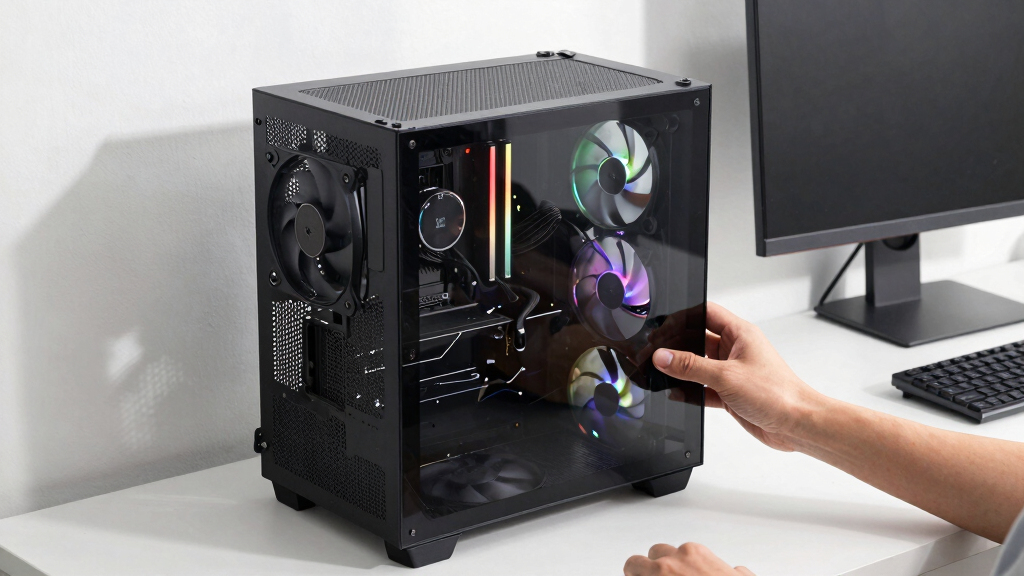
The best fan won’t help if it’s pointed the wrong way. The whole recipe: big fans, running slowly, in a clean front-to-back path, with slightly more intake than exhaust. Build a config in Part 2 and watch the pressure balance respond.
Why Optimized Fan Choice and Setup Matter in 2026
Choosing the right fans and airflow configuration directly impacts the noise levels and thermal performance of high-power AI workstations. In 2026, where noise reduction and reliability are priorities for professional users, implementing these best practices ensures quieter operation and longer hardware lifespan. This is especially relevant for users sharing office space or recording environments, where noise can be disruptive. Proper airflow setup also prevents overheating, maintaining system stability under sustained loads, which is critical for AI workloads.
As an affiliate, we earn on qualifying purchases.
Evolution of Quiet Cooling Strategies in 2026
Over recent years, the focus on quiet PC building has shifted towards using larger fans that operate at lower RPMs to reduce noise. The 2026 landscape sees a consensus around 140mm fans being preferable where case space allows, as they move similar amounts of air as smaller fans but much more quietly. The development of high-quality, affordable fans like Arctic P12 Pro and P14 has democratized access to near-premium performance at lower costs. Additionally, the understanding that airflow and static-pressure fans serve distinct roles has become standard practice among builders aiming for silent, high-performance systems.
"Big and slow beats small and fast—it's the fundamental principle for quiet, effective cooling in high-performance workstations."
— Thorsten Meyer, PC cooling expert
As an affiliate, we earn on qualifying purchases.
Remaining Questions About Fan Performance and Setup
While the recommended fans and principles are well-supported, actual noise levels can vary based on case design, ambient conditions, and specific hardware configurations. Long-term durability and performance consistency of budget fans like Arctic P12 Pro over years of continuous operation are still being observed. Additionally, optimal fan curves and placement may differ slightly depending on individual case layouts, which can require fine-tuning.
low noise high performance PC fans
As an affiliate, we earn on qualifying purchases.
As an affiliate, we earn on qualifying purchases.
Next Steps for Building a Quiet, High-Performance AI Workstation
Builders should focus on selecting larger, high-quality fans and implementing a balanced airflow setup tailored to their case. Testing different fan curves and placements will help optimize noise and cooling. Future developments may include new fan models and smarter fan control systems that further reduce noise without compromising performance, which users should monitor for updates.
static pressure case fans for radiators
As an affiliate, we earn on qualifying purchases.
As an affiliate, we earn on qualifying purchases.
Key Questions
Why are larger fans better for quiet operation?
Larger fans can move the same amount of air at lower RPMs, which reduces noise levels significantly compared to smaller fans running faster.
Should I use airflow fans or static-pressure fans for my case?
Use airflow fans (open blades) for general case intake and exhaust, and static-pressure fans (closed blades) for radiators and dense filters where air needs to be forced through restrictive surfaces.
Are budget fans like Arctic P12 Pro reliable for long-term use?
While they perform nearly as well as premium fans in tests, long-term reliability can vary. They are suitable for most applications but may require monitoring over years of continuous operation.
How important is fan tuning for noise reduction?
Very important. Running fans on a flat, low RPM curve ensures they operate quietly while maintaining adequate cooling, especially with larger fans.
Source: ThorstenMeyerAI.com
Halloween Picks
halloween
As an affiliate, we earn on qualifying purchases.