To use 2FA securely for crypto, choose authenticators like Google Authenticator or Authy over SMS to avoid risks like SIM swapping. Enable biometrics if available for quick access, and always store recovery codes offline in a safe place. Regularly review your security settings, stay alert to phishing attempts, and keep backup options updated. Implementing these layered protections helps safeguard your assets—explore the details to make your crypto security foolproof.

Get hardware and tech essentials delivered free with Prime
- Fast, free delivery on millions of items
- Prime Video, Amazon Music and more included
- Member-only deals all year
Key Takeaways
- Use authentication apps like Google Authenticator or Authy instead of SMS for more secure 2FA.
- Enable biometric security features for quick, safer access to your crypto accounts.
- Store recovery codes offline in a secure location and avoid sharing them.
- Regularly review and update your security settings and recovery options.
- Stay vigilant against phishing attempts targeting your 2FA codes and account information.
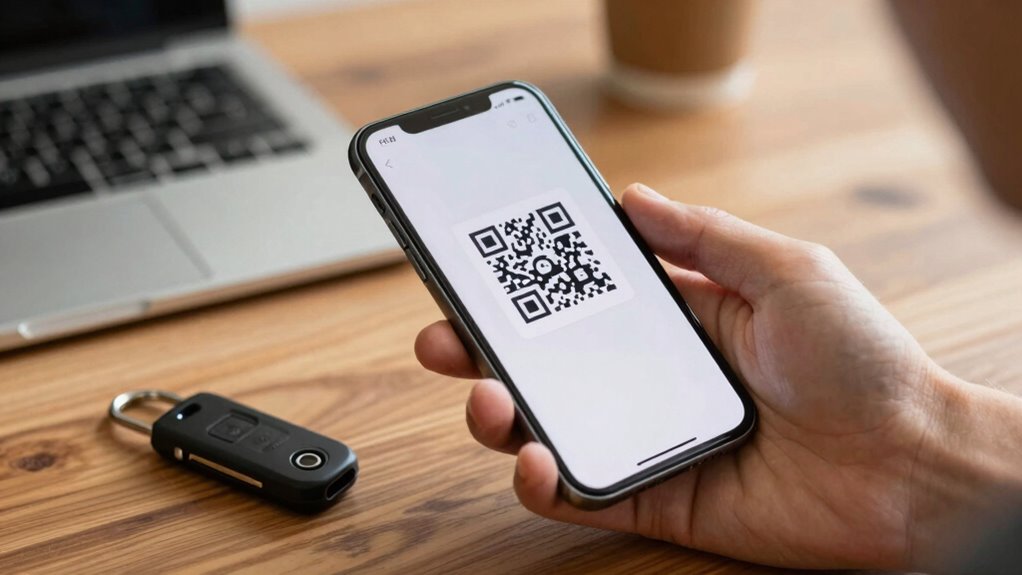
Have you ever wondered how to better protect your cryptocurrency assets from hacking? Using two-factor authentication (2FA) is a great step, but it’s essential to do it the right way to maximize your security. First, understand that 2FA adds an extra layer of protection beyond just your password. Instead of relying solely on something you know, like a password, it requires something you have or something you are. This could be a unique code generated by an app, a hardware token, or biometric security features.
To start, opt for authentication apps over SMS codes whenever possible. SMS is vulnerable to SIM swapping and interception, so using apps like Google Authenticator or Authy offers a more secure method. These apps generate time-based one-time passwords (TOTPs), which are harder for hackers to intercept. Once you set up 2FA, don’t forget to check your recovery options. Most platforms provide recovery codes or backup methods in case you lose access to your device. Store these codes in a secure, offline location—never share them with anyone. Having solid recovery options ensures you can regain access to your account without compromising security if your phone is lost or stolen.
Use authentication apps over SMS for 2FA, and securely store your recovery codes offline.
Another increasingly popular security feature is biometric security. Many modern devices support fingerprint or facial recognition, enabling you to secure your wallet or authentication apps with biometrics. This adds an extra layer of protection, making it even harder for someone else to access your accounts. When setting up 2FA, look for options that support biometric authentication, and enable them if available. It’s a convenient way to authenticate quickly while maintaining high security. Additionally, understanding the importance of smart home privacy and implementing secure practices can help protect your overall digital environment. Incorporating digital security best practices can further strengthen your defenses against cyber threats. Furthermore, staying informed about emerging cybersecurity threats can help you adapt your security measures proactively.
A good practice is to regularly review your security settings, ensuring all recovery options and authentication methods remain up to date. Being aware of common body piercing risks and proper aftercare can also serve as a reminder to always prioritize safety and security in all aspects of your life. However, remember that no security measure is foolproof. Always keep your backup recovery options updated and secure. Some platforms offer multiple recovery methods, like email, security questions, or hardware keys, which you should set up to avoid being locked out. Be cautious about phishing attempts that try to steal your 2FA codes or recovery information. Never share these details or click on suspicious links.
In the end, using 2FA properly requires a combination of secure app-based codes, biometric security, and reliable recovery options. Regularly review your security settings, stay updated on platform features, and be vigilant against phishing scams. When you do this, you significantly reduce the risk of losing your crypto assets to hackers and keep your investments safer in the long run.
Products Worth Considering

Trezor Safe 5 Crypto Hardware Wallet with Color Touchscreen, Black Graphite

Trezor Safe 7 Crypto Hardware Wallet

LG UltraGear 32GX870A-B 32-inch 4K OLED Gaming Monitor
As an affiliate, we earn on qualifying purchases.
Frequently Asked Questions
Can I Use Multiple 2FA Methods Simultaneously?
Yes, you can use multiple 2FA methods simultaneously. Setting up a multi-device setup allows you to access your accounts from different devices, ensuring convenience and security. It’s also wise to incorporate backup authentication methods, like backup codes or authentication apps, in case your primary method is unavailable. This layered approach enhances your security, making it harder for unauthorized access while providing reliable access across devices.
What Should I Do if My 2FA Device Is Lost or Stolen?
If your 2FA device is lost or stolen, immediately use your backup codes to regain access. Store these codes securely offline beforehand. Next, set up device recovery options if available, such as linking your account to an email or phone number. Contact your crypto platform’s support team if you can’t access your account with backup codes. Always prioritize security and update your 2FA settings promptly to protect your assets.
Is SMS 2FA Secure Enough for Crypto Transactions?
You might think SMS 2FA is enough for crypto, but coincidence shows otherwise—it’s vulnerable to SIM swapping and interception. SMS vulnerability means hackers can hijack your codes, risking your assets. To stay safer, consider hardware tokens, which provide a more secure, offline method of two-factor authentication. Relying solely on SMS puts your crypto at unnecessary risk, so upgrading your security with hardware tokens is a smarter move.
How Often Should I Update My 2FA Settings?
You should update your 2FA settings regularly, ideally every few months, to stay secure. Make sure to use authentication apps instead of SMS for better protection. Keep backup codes in a safe place, in case you lose access to your device. Updating your 2FA settings periodically minimizes risks, especially if your authentication app or device gets compromised. Regular changes keep your crypto accounts safer from potential threats.
Can I Revert to Single-Factor Authentication Temporarily?
You can temporarily revert to single-factor authentication, but it’s risky. Before doing so, make sure you have backup codes saved securely, as they help regain access if needed. Switching off 2FA might be tempting, but using authentication apps provides stronger security. Think of backup codes as your safety net—without them, reverting could lock you out. Always consider the security implications before making such changes.
Conclusion
Think of two-factor authentication as your digital fortress, shielding your crypto treasures from sneaky intruders. When you lock every door with that extra security layer, you’re not just hoping for safety — you’re actively building a stronghold. So, stay vigilant, enable 2FA everywhere, and treat your crypto assets like precious gems in a vault. With these steps, you’re not just protecting your investments; you’re guiding them safely through the stormy seas of the digital world.