
TL;DR

Get hardware and tech essentials delivered free — and shop member deals
- Fast, free delivery on millions of items
- Access to Prime Big Deal Days deals on October 6–7
- Prime Video, Amazon Music and more included
A hardware wallet is a physical device that keeps your Bitcoin private keys offline and signs transactions on the device itself, so malware on your computer never touches your keys. Your actual backup is a 12–24 word seed phrase (BIP-39) — the device is replaceable, the phrase is not. Leading options include Ledger, Trezor, Coldcard, BitBox, and Foundation Passport, ranging roughly $50–$200.
Last year, a collector bought a “brand new” Ledger from a third-party marketplace. The seller had pre-initialized it with their own seed phrase. The buyer deposited the coins; the seller swept them the same afternoon. Gone.
That story, and a hundred like it, is why this article exists. Hardware wallets for Bitcoin are the gold standard of self-custody — but only if you understand what you’re actually buying, and what you’re actually protecting.
You’ll learn what these devices do (and don’t do), how they work under the hood, which models lead the market, and the seven-step setup that separates safe owners from cautionary tales.
A hardware wallet stores your private keys, not your Bitcoin — the 12–24 word seed phrase is the real wallet and the thing worth protecting
Buy only from the manufacturer or authorized resellers; a pre-initialized device from a marketplace is the most common way people lose funds
Always test recovery by wiping and restoring from your seed phrase before funding the wallet significantly
Store the seed phrase on paper or steel, in two geographic locations — never digitally, and never share it with anyone, including "support"
Expect to pay roughly $50–$200 for a quality device; multisig with two devices is the logical upgrade once holdings grow
What a Hardware Wallet Actually Stores (Hint: Not Your Bitcoin)
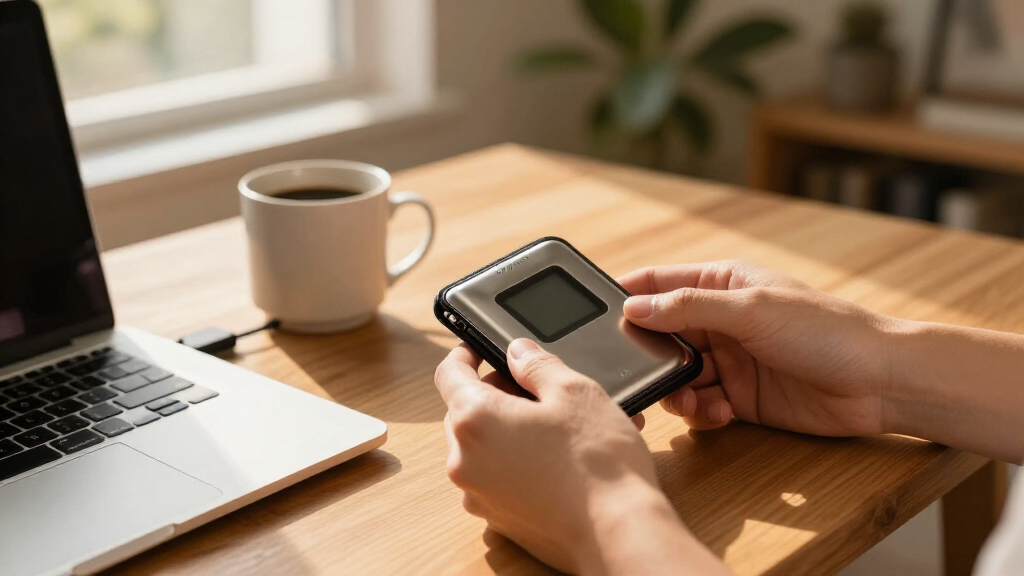
A hardware wallet is a physical device — usually the size of a USB stick — that stores your Bitcoin private keys offline. Your Bitcoin itself lives on the blockchain, always. The device holds the keys that prove those coins are yours, and it signs transactions on the device, so your keys never touch a computer that might be infected.
Think of it like the difference between keeping cash in a safe versus keeping the key to a bank vault. The coins aren’t in the safe — the access is. Lose the key, and it doesn’t matter how much is in the vault.
Here’s the counterintuitive part: the device isn’t even the real wallet. Your seed phrase — 12 to 24 words generated on setup — is the wallet. The device is just a secure, pocket-sized signing tool.
This distinction changes how you think about security. Most people instinctively protect the device — they’d panic if the wallet went through the wash, but casually photograph the seed phrase “for backup.” Invert that. Anyone who obtains your 12–24 words can recreate your wallet anywhere on earth, no device required. A thief with your hardware wallet but no PIN gets nothing (especially after the device wipes itself after failed attempts). A thief with your seed phrase gets everything. That asymmetry is the single most important mental model in self-custody: the device is a replaceable $150 gadget; the phrase is permanent, irreplaceable access to every coin it controls.
The phrase is the wallet. The device is replaceable hardware. Guard them accordingly.
Hot Wallet vs. Cold Storage: Which One Holds Your Serious Money
Cold storage means keys that never touch the internet; hot storage means keys living on a phone or laptop connected to one. The difference matters because malware, keyloggers, and clipboard-hijacking attacks only work against keys that are online. A hot wallet’s keys exist in memory on a general-purpose computer — the most attacked environment humans have ever built. A hardware wallet’s keys live in a chip that was designed to do nothing except hold them.
| Feature | Hot Wallet (mobile/desktop app) | Hardware Wallet (cold storage) |
|---|---|---|
| Key storage | On an internet-connected device | Offline, on a secure chip |
| Malware exposure | High — keyloggers and clipboard attacks work | Very low — keys never leave the device |
| Convenience for spending | Instant, great for small amounts | Seconds slower, device required |
| Cost | Free | Roughly $50–$200 |
| Best for | Everyday spending amounts | Savings, long-term holdings |
The tradeoff is real, not one-sided. Cold storage buys security by giving up friction: every transaction requires the physical device, a PIN, and button presses. That’s exactly what you want for savings and exactly wrong for buying coffee. This is why most holders don’t choose one or the other — they run both, treating the hot wallet like the cash in your pocket and the hardware wallet like the deed to your house. The split also caps your worst case: if the hot wallet is drained, you lose a month’s spending money, not your stack.
A sensible split: keep a month’s spending in a hot wallet, and everything you’d hate to lose in cold storage. The rule of thumb many holders use — if you wouldn’t carry it as cash in your pocket, it belongs offline.
How the Signing Works Without Ever Exposing Your Keys
Hardware wallets work by keeping private keys in an isolated chip while transactions are prepared on ordinary, possibly compromised software. The computer drafts the transaction; the device signs it internally; only the signed result goes back. It’s like handing a notary a document to stamp — the notary never gives you their seal to use at home.
Three mechanisms make this safe:
- On-device signing — keys are cryptographically unable to leave the Secure Element or microcontroller
- Screen verification — you confirm the recipient address and amount on the device’s own screen, defeating malware that swaps addresses on your monitor
- Physical buttons — a hacker can’t press “confirm” remotely
Each mechanism closes a specific hole, and together they cover each other’s weaknesses. On-device signing assumes the chip can be trusted — which is why the open-source vs. Secure Element debate (covered below) matters to some buyers. Screen verification assumes you’ll actually look: the device can display the true address, but only you can compare it to what your computer shows, character by character. And physical buttons only help if the firmware is legitimate, which is why buying untampered hardware from the manufacturer is step one of setup. The security isn’t any single feature; it’s a chain where each link assumes the others held.
Real scenario: clipboard malware changes a pasted receiving address in milliseconds. If you send to the wrong address, the funds are unrecoverable. Verifying the address on the device’s screen catches this every time — that small habit has saved people life-changing sums.
The 6 Devices Worth Comparing (and Who Each One Suits)
The hardware wallet market in recent years has consolidated around a handful of trusted names: Ledger, Trezor, Coldcard, BitBox, and Foundation. Bitcoin-only devices strip out altcoin support to shrink the attack surface, while air-gapped models sign via QR codes or SD cards with no cable at all.
| Device | Price Range | Standout Feature | Best For |
|---|---|---|---|
| Ledger Nano S Plus / X | ~$79–$149 | Secure Element chip; Bluetooth on X | Beginners wanting polish |
| Trezor Safe series | ~$49–$179 | Open-source firmware | Transparency purists |
| Coldcard Mk4 / Q | ~$148–$239 | Full air-gap, Bitcoin-only | Privacy-focused holders |
| BitBox02 | ~$150 | Swiss-made, open source | Simplicity plus openness |
| Foundation Passport | ~$199 | Air-gapped, Bitcoin-only | Bitcoin maximalists |
| SeedSigner | ~$50 DIY | Open-source, built from parts | Tinkers and backups |
The Ledger vs. Trezor debate is really openness vs. hardened chips. Trezor publishes its firmware so anyone can audit it; Ledger uses a closed Secure Element, which drew criticism after their 2023 “Recover” feature controversy. Both are solid — the philosophical tradeoff is yours to weigh.
What do these axes actually cost you? Openness means independent experts can verify nothing malicious hides in the code — but open firmware is also easier for researchers to probe for weaknesses, and open devices typically lack certified tamper-resistant chips. Closed Secure Elements are harder to attack physically but require trusting the manufacturer and its chip vendor, since nobody outside can fully audit them. Bitcoin-only firmware removes thousands of lines of altcoin code, shrinking the attack surface — at the price of needing a second device if you ever hold other assets. Air-gapping eliminates the USB cable as an attack path entirely, which is genuinely valuable if you expect your signing machine to face sophisticated adversaries, though it makes everyday use slower and clunkier. None of these tradeoffs is “wrong” — they’re bets on which threat you’re more worried about: the manufacturer, the physical attacker, or the malware.
Verify current pricing and models before buying; this market moves fast.
Your First 30 Minutes: A 7-Step Setup That Prevents 90% of Disasters
Setting up a hardware wallet safely comes down to buying untampered hardware and proving your backup works before it matters. Follow these steps in order:
- Buy direct from the manufacturer — never secondhand, never “sealed” marketplace deals
- Inspect the packaging — reject any device with broken seals or pre-printed seed phrases (a real device generates its phrase on first use)
- Initialize it yourself — let the device generate a fresh 12–24 word seed phrase
- Write the phrase on paper or stamp it in steel — never type it, photograph it, or store it in a password manager or cloud note
- Test recovery — wipe the device, restore from the phrase, confirm your (empty) wallet reappears before funding
- Add a passphrase — a “25th word” creates a hidden wallet even a stolen seed phrase can’t reveal
- Send a small test amount first — then move the real holdings
Notice the logic behind the order: steps 1–2 defend against supply-chain attacks you can’t detect later, steps 3–5 ensure the one irreplaceable thing — your seed phrase — is both correct and recoverable before any money is at risk, and steps 6–7 protect you against future threats ($5 wrench attacks, a single fat-fingered transfer). Each step is cheap insurance against a failure mode that is otherwise unrecoverable. The passphrase in step 6 deserves special mention: it creates a second, hidden wallet on the same seed, so if someone physically finds your phrase, they see only the decoy balance — but it also means forgetting the passphrase loses those funds forever, with no reset. It trades one risk (coercion, theft) for another (memory), so use it only if you can store the passphrase separately and reliably.
That recovery test in step 5 feels paranoid. It isn’t. It’s the difference between discovering a miswritten word at your kitchen table versus discovering it after your device went through the wash.
The Scams That Actually Empty Hardware Wallets
Hardware wallet losses rarely come from the device being hacked. According to reports across the industry, most losses trace back to user error, phishing, or exposed seed phrases — not device exploits. That statistic should reframe where you spend your worry: the cryptography holding your keys hasn’t been broken; the humans operating it are the soft target. Attackers know this, so they attack the part of the system that answers emails.
The scams to know, and why each one works:
- Fake devices sold pre-initialized at a discount — the classic marketplace trap from the intro. It works because the device looks and functions normally; the victim has no way to know someone else already holds the keys.
- Phishing support — fake “Ledger support” DMs asking you to “verify” your seed phrase. It works because it arrives at a moment of stress (a lost device, a failed transaction) when you’re desperate for help. No legitimate company will ever ask for it — ever.
- Digital seed storage — a photo of your phrase in cloud storage is a photo hackers can find. It works because cloud accounts are compromised constantly through reused passwords and breached third parties, and a photo of 12 words is searchable, syncable, and screenshot-able forever.
- Supply chain incidents — like the 2023 attack on Ledger’s code library via a former employee, which drained connected wallets. It works because even careful users trust signed software updates; the lesson is that “connect your device” prompts should be rare and deliberate, not automatic.
The common thread across all four: every attack targets the seed phrase or your trust, because the device itself is the hardest link to break. That means your defenses should mirror the threat — buy untampered hardware, never digitize the phrase, treat any request for it as an attack by default, and stay skeptical of software that wants your device connected. One sentence will protect you from nearly all of it: anyone who asks for your seed phrase, for any reason, is stealing from you.
Your seed phrase written on paper, stored in two locations, beats any clever digital backup scheme ever marketed to you.
When You’ve Outgrown One Device: Multisig Basics
Multisignature wallets require multiple keys to move funds — for example, a 2-of-3 setup where you hold two hardware wallets and a collaborative custody service holds a third. One stolen key, one house fire, one defective device: none of them alone can touch your Bitcoin.
Why this matters more as your holdings grow: a single-key wallet has a single catastrophic failure point. Your entire balance hangs on one seed phrase — steal it, burn it, misread one word of it, and everything is gone at once. Multisig removes the single point of failure by requiring agreement among independent keys, which means you can lose one (or, in 2-of-3, one) and still recover. The tradeoffs are real, though: multisig is slower to spend from, requires keeping track of the wallet configuration itself (which keys, what quorum, which xpubs — losing this “wallet descriptor” can make funds hard to access even with the keys), and demands more operational discipline. It’s the right tool once the stakes justify the overhead, and overkill before then.
What was once a niche practice has gone mainstream among serious holders, with tools like Sparrow Wallet and Nunchuk making multisig setup approachable, and services like Unchained offering collaborative custody. Using two devices from different manufacturers is deliberate: it means no single vendor’s firmware bug or supply-chain compromise can trap your funds.
A simple escalation path: start with one device and a steel backup. Once your holdings would genuinely hurt to lose, add a second device from a different manufacturer and move to 2-of-3. Geographic separation matters too — a safe and a bank deposit box beat two backups in the same drawer, because fire, flood, and burglary tend to take everything in one place at once.
Frequently Asked Questions
What happens if I lose or break my hardware wallet?
Nothing, if your seed phrase is safe. Your 12–24 word phrase restores the full wallet on any compatible replacement device or software wallet. This is exactly why testing recovery before funding is non-negotiable — and why the phrase, not the device, deserves your best storage.
Can a hardware wallet be hacked?
Device exploits are rare. The overwhelming majority of losses come from phishing, exposed seed phrases, fake pre-initialized devices, or user error — not from someone breaking the hardware itself. Your security habits matter far more than the brand you choose.
Do I need a hardware wallet for a small amount of Bitcoin?
A common rule of thumb: if the amount is more than you’d comfortably carry as cash, move it to cold storage. For a few dollars of spending money, a hot wallet is fine. Risk tolerance varies — but the $50–$200 cost of a device is cheap insurance once holdings become meaningful to you.
What if the hardware wallet company goes out of business?
Your funds are fine. The device keeps working offline, and open-source wallets like Trezor and BitBox remain usable regardless of the company’s fate. Even closed devices can be replaced: your seed phrase restores funds into any compatible wallet software.
Can I use a hardware wallet on a computer with malware?
Largely yes — that’s the design goal. Keys never leave the device, so malware can’t steal them. The one habit that makes it safe: always verify the receiving address and transaction details on the device’s own screen, since malware can still swap addresses displayed on your computer.
Conclusion
One decision protects almost everything: your seed phrase on paper or steel, in two locations, known to no one else. The device is a $150 tool. The phrase is the vault. Treat the purchase, the setup, and the backup with that hierarchy in mind, and you’ve already outrun the scams that empty most wallets.
A decade from now, the device in your drawer will be obsolete. The twenty-four words in your safe won’t be.
Fall Picks
fall essentials
As an affiliate, we earn on qualifying purchases.